
Life gets busy. We help you keep in touch.
Enzuna helps you remember the human details: birthdays, the kid's name, the conversation you had last month, so the people in your life feel seen.
Android v1.4 · No account · Local-first
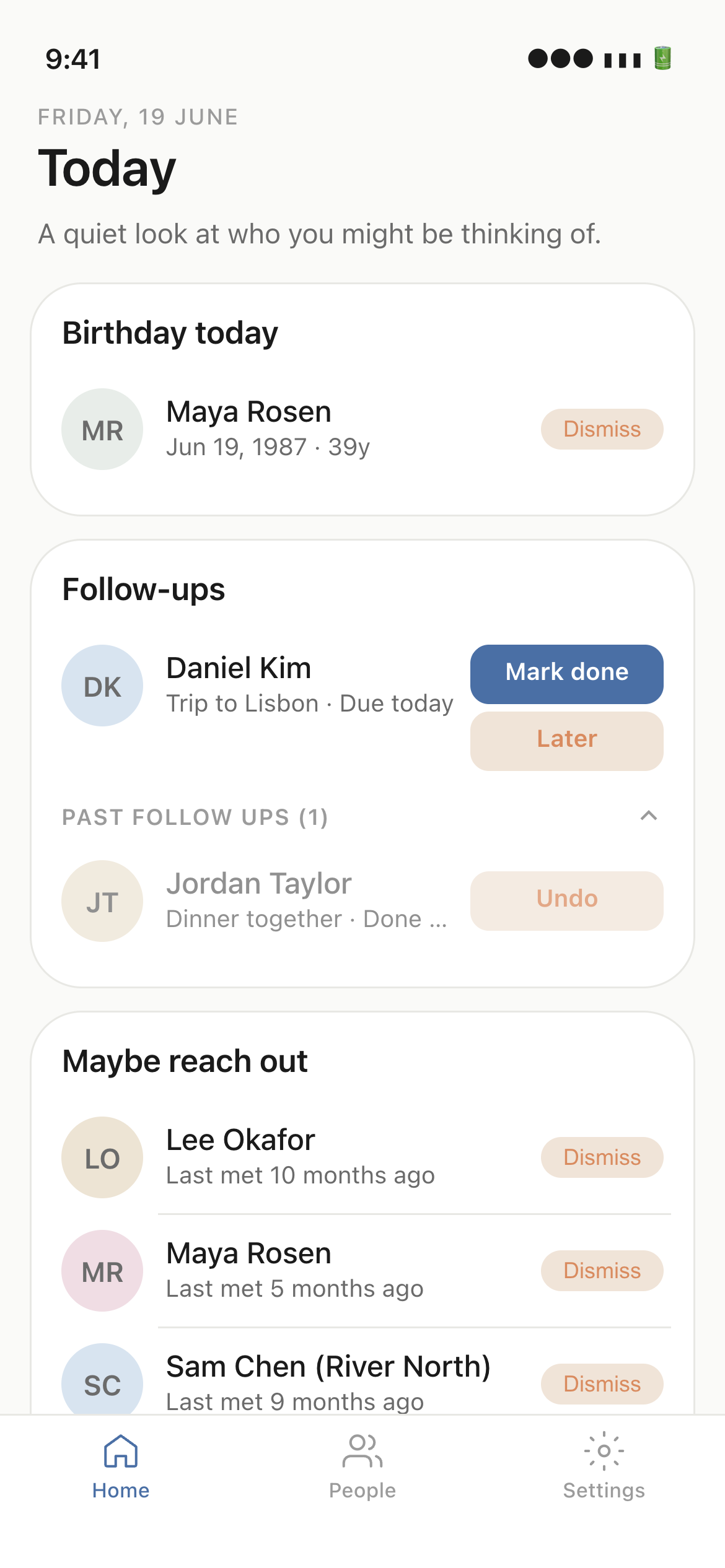
Built around the human
Small details, kept faithfully.
Local-first by default
Your relationships live on your device. No cloud accounts. No sync you didn't ask for.
Never miss a moment
Birthdays, anniversaries, and gentle nudges when it's been too long since you reached out.
Notes that remember for you
Jot what you talked about, what they're into, what to ask next time. Searchable, forever.
Your people stay on your phone.
Enzuna does not upload your contacts, notes, or relationship notebook to our servers. There are no accounts and no ads. Anonymous usage statistics help us improve the app (on by default, with an in-app opt-out).
Read the full privacy policy- No accounts. No login required.
- Notebook data stays on your device.
- Anonymous analytics with an in-app opt-out.
How it works
Three steps. Then it just happens.
Add the people who matter
Pull from your contacts. Quick, with no 30-field forms.
Capture as you go
After a call or coffee, write a note. Create a follow-up. Enzuna does the rest.
Show up when it counts
Gentle reminders surface the right person at the right moment.
Start remembering, today.
Join the Android closed test on Google Play. Enter your email and we'll send instructions in 15 minutes.
Android 9+ · v1.4 · How to join the closed test · iOS waitlist open above
 iOS waitlist open above
Closed testing
Getting Enzuna on your phone
Sign up, then follow the email. It takes two steps on Google Play: accept the closed test, then download the app.
Sign up with your Google account
Tap Join closed testing and enter the email for the Google account on your Android phone.
Check your inbox
In 15 minutes you'll get an email with the join instructions. If it hasn't arrived, check spam.
Accept the closed test
Open the email and accept Google Play's conditions to become a tester. Do this before you download.
Download Enzuna
In that email, click Download the app. It can take a few minutes after you accept before the app appears.
Android 9+ · v1.4
Questions, answered.
- What does Enzuna mean?
- The name blends En (縁) and Kizuna (絆): Japanese words for the connections that bring people into your life and the bonds that hold them close. Enzuna is a personal CRM built around that idea: remembering the human details so the people who matter feel seen.
- Is Enzuna really free?
- Yes. The closed test is free. We'll likely offer a paid tier later for advanced features, but core relationship-keeping stays free.
- Where is my data stored?
- Your contacts and relationship notebook stay on your device. Enzuna does not run a server that holds that content. Anonymous usage statistics and crash reports are sent only as described in our privacy policy.
- When is iOS coming?
- We're focused on getting Android right first. iOS is on the roadmap; join the beta to hear when it lands.
- How is this different from my address book?
- Your address book stores phone numbers. Enzuna stores the human stuff: what they care about, what you talked about, when to reach out again.
- How do I get Enzuna on Android?
- Enzuna is in closed testing on Google Play. Tap Join closed testing and enter the email for the Google account on your phone. In 15 minutes you'll receive an email with instructions to accept the test and download the app. If it hasn't arrived, check your spam folder. The join guide walks through each step.
- I signed up but haven't received the email.
- Instructions are sent 15 minutes after you sign up, from Enzuna. Check spam and promotions, and search for hello@enzuna.app. If it's still missing after that, email enzunateam@gmail.com.
- The Play Store won't let me download Enzuna.
- Accept the closed testing invitation in the email first, using the same Google account on your Android phone. The download link works after you accept. If it still isn't available, wait a few minutes and open the download link again. The join guide has the full order.
- How do I report a bug or send feedback?
- Use the feedback form below, or email us at enzunateam@gmail.com. Please include your device model, Android version, and what you expected vs. what happened. It helps us fix things faster.
Send us feedback
Found a bug or have an idea? We read every message. Your email is required so we can reply.